WordPress Flaw Puts 3 Million Websites at Risk: How to Stay Protected
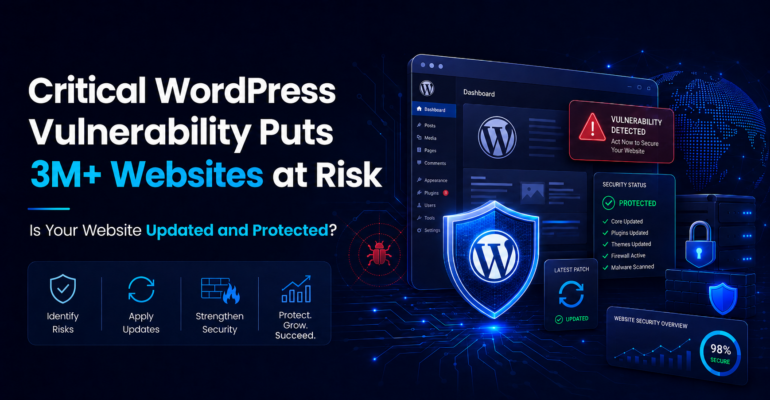
WordPress Flaw Puts 3 Million Websites at Risk: How to Stay Protected
 Brainiuminfotech
 Businesses searching to Hire A WordPress Developer in India should evaluate more than development speed and cost. Security expertise, responsible plugin management, access control, backup integrity, and continuous monitoring are now equally important. A recently disclosed vulnerability in UpdraftPlus, a backup and migration plugin installed on more than three million WordPress websites, demonstrates how one trusted component can create a serious risk across the global WordPress ecosystem.
The vulnerability is tracked as CVE-2026-10795. It affects vulnerable versions of the UpdraftPlus WordPress plugin and could allow an unauthenticated attacker to bypass security checks, forge remote commands, and potentially operate with administrator-level authority under certain configurations.
For affected businesses, successful exploitation could lead to website takeover, malicious plugin installation, data theft, SEO spam, unauthorized redirects, malware distribution, and prolonged website downtime.
The immediate lesson is clear: installing a security plugin or creating occasional backups is not enough. WordPress security requires continuous visibility, controlled updates, technical monitoring, tested recovery procedures, and experienced professionals who understand how the entire website environment works.
What Happened With the Recent UpdraftPlus Vulnerability?
UpdraftPlus is widely used for creating, storing, restoring, and migrating WordPress backups. Because backup plugins require broad access to website files and databases, they operate within a highly trusted part of the WordPress environment.
The recently disclosed vulnerability affected the plugin’s remote communication functionality. Weaknesses in message validation and cryptographic handling could allow specially constructed remote requests to bypass authentication.
In practical terms, an attacker could potentially forge remote procedure calls that the website accepts as legitimate administrator instructions. These instructions could then be used to upload and activate a malicious plugin, creating a path to remote code execution and full website compromise.
Key vulnerability details
- Vulnerability: Unauthenticated authentication bypass
- CVE: CVE-2026-10795
- Affected plugin: UpdraftPlus: WP Backup & Migration
- Affected free versions: Up to and including version 1.26.4
- Patched free version: Version 1.26.5 or later
- Potential impact: Administrator-level command execution and possible remote code execution
- Risk level: High and urgent
- Required action: Update immediately and investigate for signs of compromise
The vulnerable code path is particularly relevant to websites that have used UpdraftCentral remote management or associated migration functionality. However, all website owners using UpdraftPlus should update immediately rather than assuming their configuration is unaffected.
Does the Vulnerability Affect Every WordPress Website?
No. WordPress itself is not automatically compromised simply because the vulnerability exists.
A website is more likely to be exposed when:
- It uses a vulnerable UpdraftPlus version.
- UpdraftCentral or relevant remote management functionality has been configured.
- The website has not received the patched plugin update.
- Security monitoring is absent or insufficient.
- The website allows unnecessary administrative access.
- Server and application logs are not regularly reviewed.
However, website owners should not wait to confirm every technical condition before updating. Attackers frequently automate their scans and attempt exploitation across thousands of domains. Updating quickly reduces the time during which a website remains exposed.
Why Can a Backup Plugin Become a Major Security Risk?
Backup plugins need access to sensitive resources, including:
- WordPress database content
- Website files and media
- Plugin and theme directories
- Configuration details
- Remote storage credentials
- Restoration and migration functions
This level of access is necessary for a backup solution to work. It also means that a serious vulnerability in the plugin can provide attackers with a powerful route into the website.
A backup is therefore not automatically a security control. An outdated or poorly protected backup system can itself become part of the attack surface.
Effective website protection requires businesses to secure both the production website and the tools intended to protect or restore it.
What Could Attackers Do After Exploiting a WordPress Vulnerability?
The outcome depends on the vulnerability and website configuration. Common post-exploitation activities include:
1. Creating unauthorized administrator accounts
Attackers may create new WordPress users with administrator privileges or modify an existing account. These accounts can provide persistent access even after the original vulnerability is patched.
2. Uploading backdoors
A malicious PHP file or plugin can create a hidden access point. Removing visible malware without finding the backdoor may allow the attacker to return.
3. Injecting SEO spam
Attackers may create hidden pharmaceutical, gambling, counterfeit-product, or adult-content pages. These pages can become indexed by search engines and damage rankings, domain reputation, and user trust.
4. Redirecting visitors
Compromised websites may redirect selected visitors to phishing pages, fake software updates, fraudulent stores, or malware downloads. Some redirects only appear on mobile devices or for visitors arriving from search engines.
5. Stealing business and customer data
An attacker with sufficient access may retrieve customer details, form submissions, user records, database credentials, API keys, or eCommerce information.
6. Modifying payment journeys
On WooCommerce websites, attackers may attempt to inject malicious checkout scripts, alter payment instructions, or capture sensitive customer data.
7. Disrupting website availability
Files may be deleted, databases damaged, or server resources consumed, making the website slow or completely unavailable.
What Recent WordPress Threats Should Businesses Watch?
The UpdraftPlus issue is part of a wider pattern. WordPress attacks increasingly target trusted plugins, remote management features, form builders, administrative workflows, and software supply chains.
Authentication-bypass attacks
These vulnerabilities allow attackers to impersonate privileged users or gain administrator access without valid credentials. They are particularly dangerous because they may bypass normal login protections.
Unauthenticated remote code execution
Remote code execution vulnerabilities can allow attackers to run malicious code without first logging in. Recent exploitation campaigns have targeted vulnerable form and file-upload functionality to create rogue administrator accounts or install backdoors.
Malicious plugin updates and supply-chain attacks
A legitimate plugin can become dangerous after ownership changes or a developer’s distribution system is compromised. In a recent campaign, numerous previously legitimate plugins were reportedly modified to include backdoors, spam injections, redirects, and content visible primarily to search engines.
Arbitrary file upload vulnerabilities
Weak file validation can allow attackers to upload executable PHP files disguised as images, documents, or form attachments. Once executed, these files may provide control over the website.
SQL injection
SQL injection can expose or modify database information. Depending on the affected functionality, attackers may retrieve user data, password hashes, private content, or configuration details.
SEO cloaking and search-engine spam
Sophisticated malware may show normal pages to website administrators while displaying spam content to Googlebot or search visitors. This makes the compromise difficult to detect through casual website checks.
Stolen session and credential attacks
Even a fully patched website can be compromised through reused passwords, stolen browser sessions, infected administrator devices, or exposed hosting credentials.
How Can You Check Whether Your Website Is at Risk?
Website owners should take the following actions immediately.
Update UpdraftPlus
Check the installed version and update the plugin to a patched release. Do not rely solely on a dashboard notification, especially when automatic updates have failed or been disabled.
Review remote connections
Inspect UpdraftCentral, migration keys, remote management links, and associated credentials. Remove connections that are unknown, inactive, or no longer necessary.
Check administrator accounts
Review all WordPress users with administrator privileges. Investigate unfamiliar usernames, recently created accounts, unexpected email addresses, and unexplained role changes.
Scan the website thoroughly
Use both application-level and server-level scanning where possible. Look for:
- Recently modified PHP files
- Unknown plugins or themes
- Suspicious files inside the uploads directory
- Obfuscated or encoded PHP code
- Unauthorized scheduled tasks
- Unexpected database entries
- New redirect rules
- Unfamiliar API keys
- Changes to .htaccess or wp-config.php
Review access and security logs
Check for unusual REST API requests, repeated login attempts, plugin upload activity, unexpected remote commands, abnormal administrative actions, and traffic from suspicious sources.
Validate backups
Confirm that clean, off-site backups are available. A backup stored only on the same compromised server may be altered, deleted, or encrypted by an attacker.
Immediate WordPress Security Checklist
Use this checklist to reduce risk:
- Update WordPress core, plugins, and themes.
- Remove unused plugins and themes completely.
- Replace abandoned or unsupported software.
- Enable multifactor authentication for administrators.
- Use unique passwords and a password manager.
- Apply least-privilege access controls.
- Restrict file editing from the WordPress dashboard.
- Protect login and administrative endpoints.
- Deploy a properly configured web application firewall.
- Monitor file and database changes.
- Maintain encrypted off-site backups.
- Test website restoration regularly.
- Review users and access keys every month.
- Use staging before applying major updates.
- Keep a documented incident-response process.
- Monitor Google Search Console for security warnings.
- Scan indexed pages for unfamiliar content.
What Should You Do If the Website Has Already Been Compromised?
Do not simply delete one suspicious file and assume the website is clean. WordPress attackers commonly create multiple persistence mechanisms.
A proper incident-response process should include:
- Isolating or restricting the compromised environment.
- Preserving logs and evidence before cleanup.
- Identifying the original entry point.
- Resetting WordPress, hosting, database, SFTP, and API credentials.
- Removing malicious users, files, database entries, and scheduled jobs.
- Replacing compromised WordPress core files.
- Reinstalling trusted plugins and themes from verified sources.
- Updating all components.
- Rotating WordPress security salts and remote-access keys.
- Restoring from a verified clean backup when appropriate.
- Testing website functionality after remediation.
- Requesting search-engine reviews if warnings or spam pages appeared.
- Monitoring the website closely for reinfection.
A rushed cleanup can preserve the attacker’s access and create a false sense of security.
Can Automatic Updates Fully Protect a WordPress Website?
Automatic updates reduce the delay between a patch release and installation, but they are not a complete security strategy.
Updates can fail because of:
- Hosting permission issues
- Plugin conflicts
- Disabled background processes
- Expired licenses
- Custom code dependencies
- Insufficient server resources
- Incomplete update packages
- Maintenance settings
- Broken scheduled tasks
Businesses should monitor update status, test important releases, verify functionality, and confirm that the patched version is actually running.
High-risk websites may benefit from managed updates through a staging environment, allowing security patches to be tested and deployed quickly without unnecessarily disrupting production.
How Does a WordPress Security Incident Affect SEO?
A compromised website can experience significant organic-search damage.
Potential SEO consequences include:
- Spam pages appearing in Google’s index
- Search-result titles and descriptions being rewritten
- Visitors being redirected to malicious domains
- Search-engine security warnings
- Loss of user trust and conversions
- Crawling resources wasted on fraudulent URLs
- Backlinks pointing to injected pages
- Reduced rankings after extended downtime
- Domain reputation damage
- Manual actions or malware classifications
Security and SEO should therefore not be managed separately. Technical SEO depends on the integrity, availability, crawlability, performance, and trustworthiness of the website.
Regular security monitoring protects both the business and its search visibility.
Why Businesses Need Ongoing WordPress Maintenance
Many websites are built successfully but left without a structured maintenance process. Over time, plugins become outdated, user accounts accumulate, backups stop working, PHP versions become unsupported, and custom integrations create hidden dependencies.
A professional maintenance plan should include:
- Vulnerability monitoring
- Controlled core, theme, and plugin updates
- Malware and file-integrity scanning
- Backup verification
- Uptime and performance monitoring
- User-access reviews
- Security hardening
- Database optimization
- Compatibility testing
- Incident-response support
- SEO health checks
- Monthly reporting
The goal is not merely to respond after a website is hacked. The goal is to reduce exposure, detect warning signs quickly, and recover with minimal business disruption.
How Brainium Information Technologies Can Help
Brainium Information Technologies provides WordPress development, security hardening, maintenance, performance optimization, and recovery support for business websites.
Our WordPress specialists can help with:
WordPress security audits
We review the website’s core configuration, plugins, themes, administrator accounts, server settings, API connections, database security, and exposed endpoints.
Vulnerability assessment and patching
Our team identifies vulnerable software, verifies patched releases, removes unnecessary components, and plans updates around website compatibility.
Malware investigation and cleanup
We investigate suspicious files, redirects, rogue accounts, injected database content, backdoors, scheduled tasks, and other persistence mechanisms.
Website hardening
We strengthen access controls, protect sensitive files, disable risky functionality, configure security headers, restrict administrative access, and improve login protection.
Backup and disaster-recovery planning
We configure secure off-site backups, retention policies, restoration testing, and recovery procedures based on business requirements.
Ongoing WordPress maintenance
Our specialists monitor vulnerabilities, updates, uptime, performance, security alerts, and website health on an ongoing basis.
Secure custom WordPress development
We build and maintain custom themes, plugins, integrations, and business workflows using secure coding practices and controlled deployment processes.
Final Thoughts
The UpdraftPlus disclosure shows why WordPress security must be treated as an ongoing business responsibility rather than a one-time setup task. A trusted plugin used by millions of websites can still contain a serious flaw, and attackers can begin scanning vulnerable installations soon after technical details become public. If you need to Hire A WordPress Developer in India, choose a team with proven experience in secure development, vulnerability management, malware recovery, performance, and technical SEO. Contact Brainium Information Technologies through the company website to request a WordPress security audit, urgent vulnerability assessment, or managed maintenance consultation—and protect your website before a preventable weakness becomes a costly incident.
Frequently Asked Questions
What is the recent WordPress vulnerability affecting three million websites?
The vulnerability is CVE-2026-10795 in the UpdraftPlus backup and migration plugin. Vulnerable versions may allow an unauthenticated attacker to bypass security checks and forge remote commands under affected configurations.
Which UpdraftPlus versions are vulnerable?
The free plugin is affected through version 1.26.4. Website owners should update to version 1.26.5 or a newer secure version and verify the current vendor guidance for Premium installations.
Can the vulnerability lead to complete website takeover?
Potentially, yes. A successful attacker may be able to execute administrator-level remote commands, upload a malicious plugin, and achieve remote code execution.
Is every website using UpdraftPlus already hacked?
No. Being vulnerable does not mean a website has been compromised. However, vulnerable websites should be patched immediately and checked for suspicious activity.
How do I know whether my WordPress site has malware?
Warning signs include unexpected redirects, unfamiliar administrator accounts, unusual files, sudden traffic changes, spam pages in search results, browser warnings, slow performance, or unexplained server activity. Some compromises show no obvious symptoms, so a technical scan is essential.
Should I delete the UpdraftPlus plugin?
Updating to a secure version is generally the first step. Remove the plugin only when it is no longer required or when your technical team recommends replacing it. Deleting a backup plugin without confirming backup availability could create additional risk.
Are WordPress security plugins enough?
No single plugin can provide complete protection. Website security also depends on updates, hosting security, access control, backups, monitoring, secure development, and incident-response readiness.
How often should a WordPress website be updated?
Critical security updates should be applied as soon as safely possible. Routine updates should be reviewed continuously and deployed according to the website’s risk level, functionality, and testing requirements.
Why are WordPress plugins frequently targeted?
Plugins add functionality and often interact with files, databases, user accounts, APIs, and administrative functions. Their popularity and varying development standards make vulnerable plugins attractive targets for automated attacks.
Can a hacked WordPress website lose Google rankings?
Yes. Malware, spam pages, redirects, downtime, and security warnings can reduce user trust and harm organic visibility. Fast remediation and search-engine cleanup are essential.